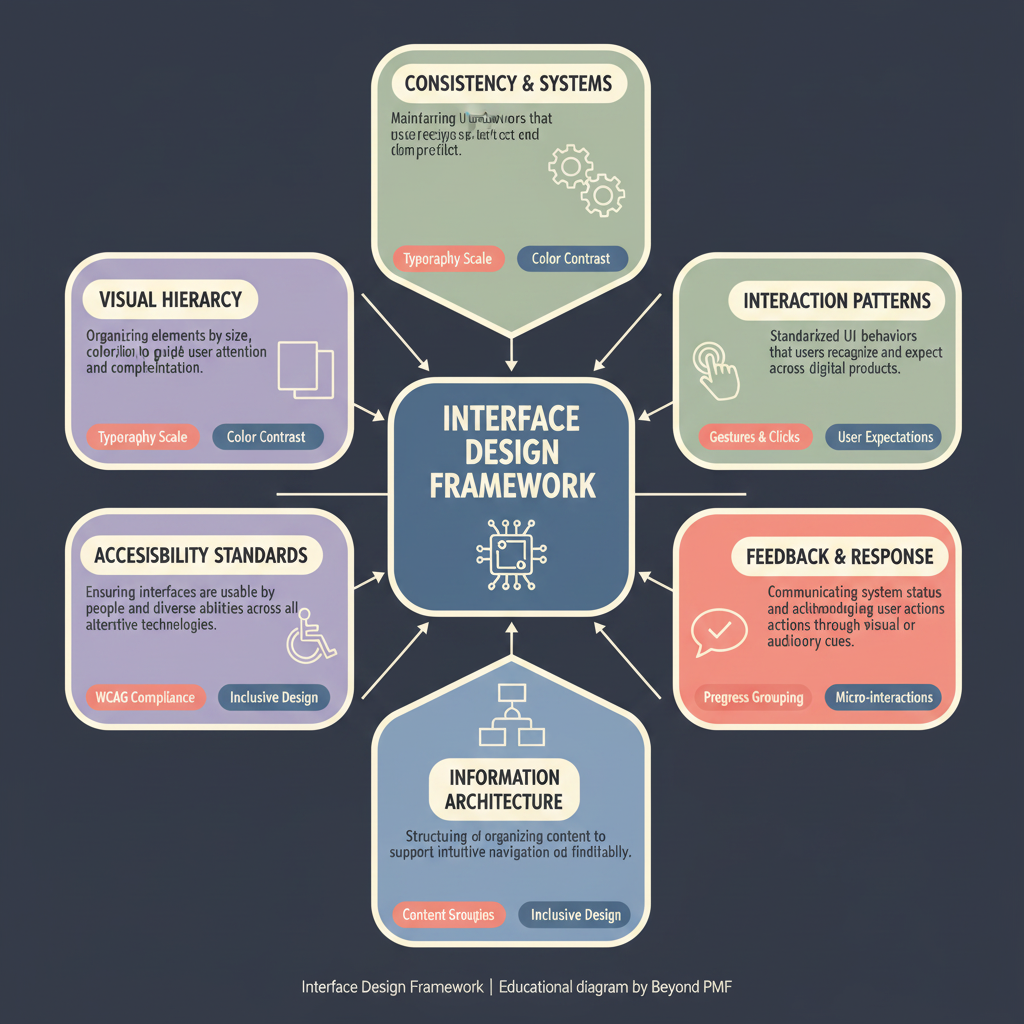
Interface Design Framework

https://ik.imagekit.io/beyondpmf/frameworks/interface-design-framework.png
The Interface Design Framework directly addresses customer UX issues by focusing on creating user interfaces that are user-friendly. This framework helps to improve the customer experience by focusing on the delivery of a well-designed interface.

The Interface Design Framework provides a structured method for designing and evaluating user interfaces. It emphasizes usability, aesthetics, and functionality, ensuring that interfaces meet the needs of users efficiently and effectively. The framework guides designers through a series of steps that help in conceptualizing, designing, prototyping, and testing interfaces, making it an essential tool in the development of digital products.

Steps / Detailed Description

  • Define user needs and goals: Gather information about the target users and their requirements.
  • Create user personas and scenarios: Develop detailed profiles and scenarios to represent the typical users.
  • Design the interface: Sketch and prototype the interface based on the user requirements and scenarios.
  • Usability testing: Conduct tests with real users to gather feedback and identify areas for improvement.
  • Iterate and refine: Make necessary adjustments based on user feedback and test results.

Best Practices

  • Involve users early and throughout the design process
  • Keep the interface simple and intuitive
  • Regularly update the design based on user feedback and technological advancements

Pros

  • Enhances user satisfaction by focusing on usability
  • Improves the efficiency and effectiveness of the interface
  • Reduces development time by identifying issues early in the design process

Cons

  • Can be time-consuming due to multiple iterations
  • May require substantial resources for user research and testing
  • Risk of over-designing to meet all user personas

When to Use

  • Developing new user interfaces for digital products
  • Redesigning existing interfaces to improve usability

When Not to Use

  • Projects with very limited timeframes
  • When the user requirements are extremely well-known and static

Related Frameworks

Categories

Lifecycle

Scope

Maturity Level

Time to Implement

1–2 Weeks

Copyright Information

Autor:
Unknown
N/A
Publication:
Generic Business Tool