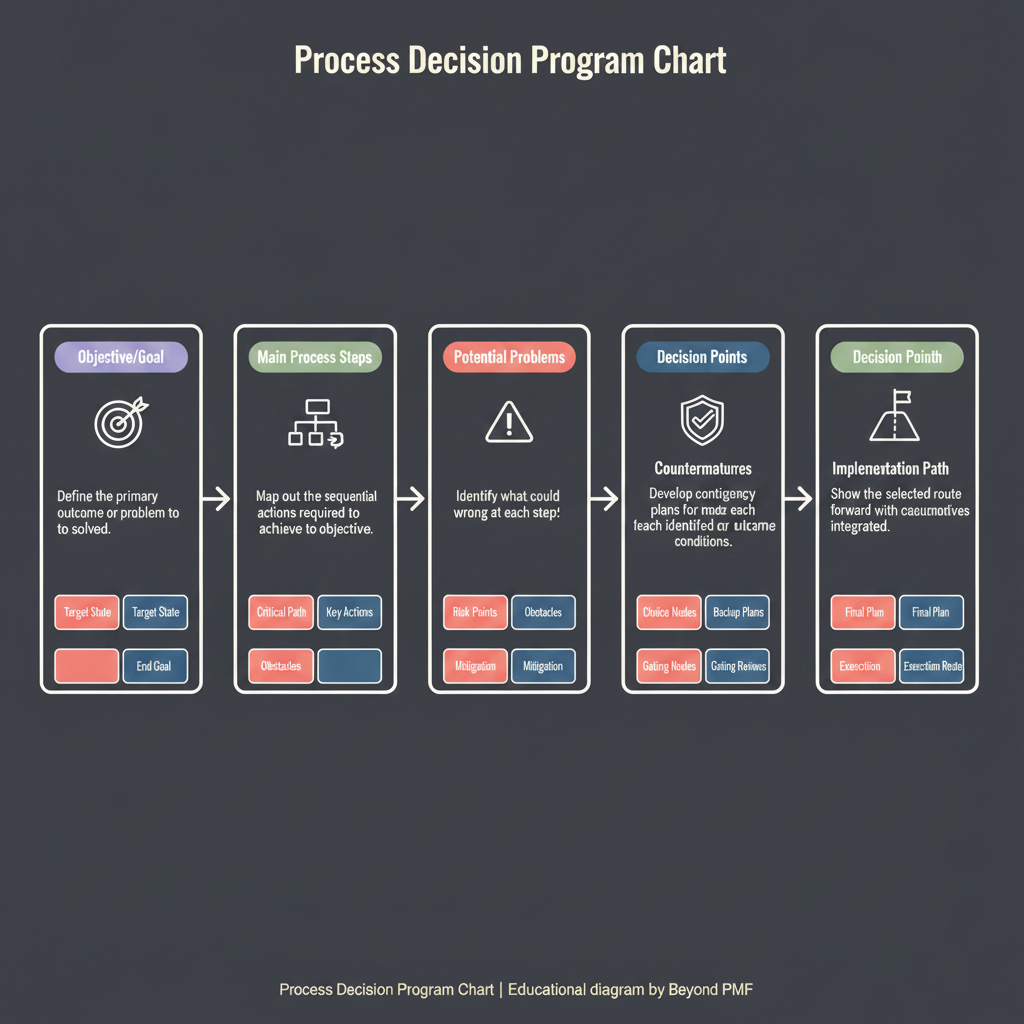
The Process Decision Program Chart (PDPC) is a systematic tool used in risk management and contingency planning. It helps organizations anticipate potential problems that could disrupt a process, and plan effective responses to mitigate these risks. The PDPC extends the Tree Diagram by identifying risks associated with each step in the process and outlining preventive measures and contingencies. This proactive approach not only helps in planning and decision-making but also enhances the reliability and efficiency of project execution.
Define the final objective of the process or project. | Develop a tree diagram to break down the objective into smaller, manageable tasks or steps. | For each step, identify potential risks or problems that could prevent the step from being successful. | Brainstorm and list possible countermeasures to each identified risk. | Evaluate the feasibility and impact of each countermeasure. | Integrate the most effective countermeasures into the project or process planning.
Involve team members from different departments to get diverse perspectives on potential risks. | Regularly update the PDPC as the project progresses and new information becomes available. | Keep the chart simple and focused to avoid overwhelming details.
Enhances risk management by anticipating potential problems. | Facilitates proactive planning and contingency measures. | Improves project reliability and efficiency.
Can be time-consuming to identify and evaluate all potential risks. | May lead to over-planning, complicating simple projects. | Depends heavily on the accuracy of risk assessment.
In complex projects where the cost of failure is high. | When planning new, untested processes.
For very simple or routine projects. | When quick decision-making is required without time for detailed planning.