A/B Testing Framework

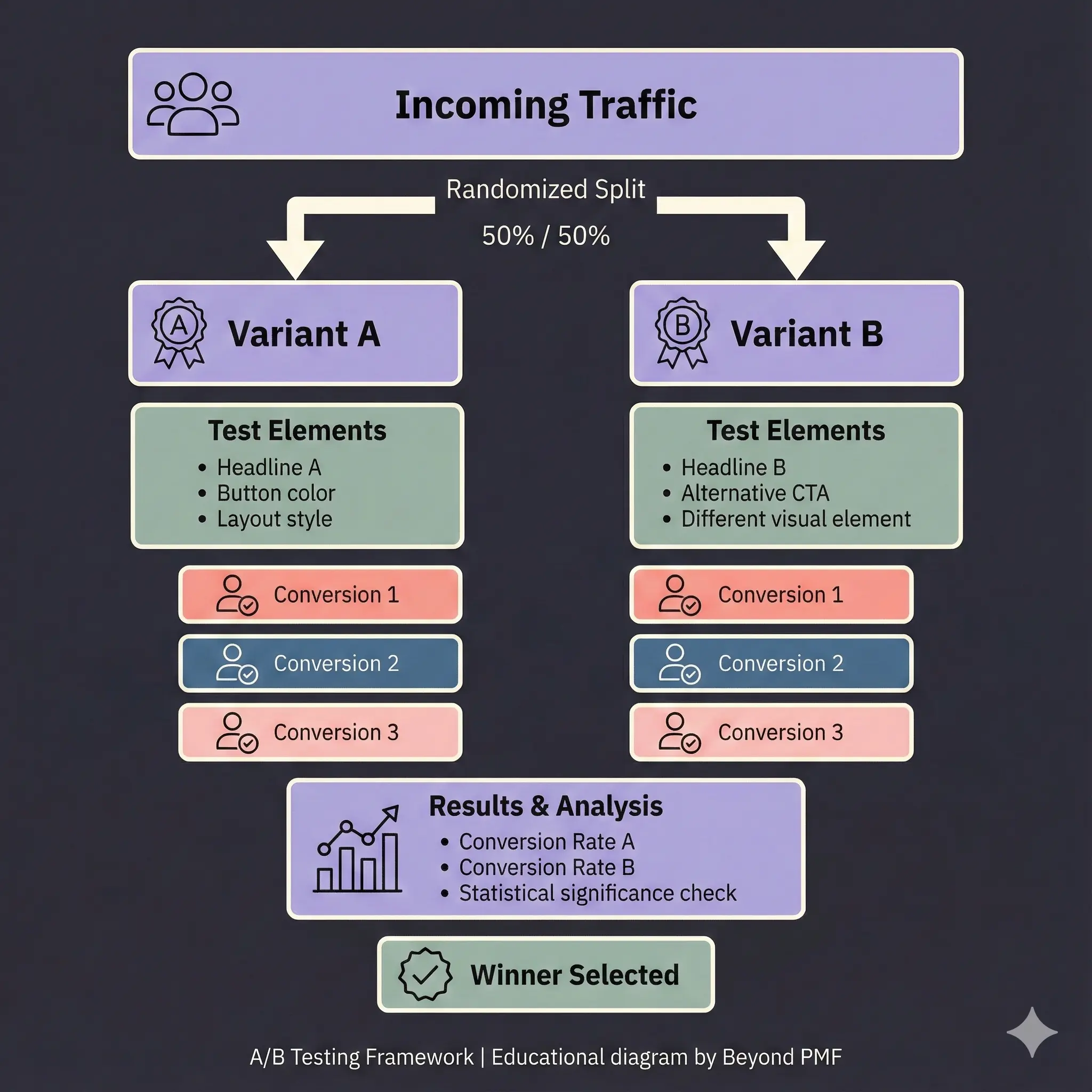
Diagram of an A/B Testing Framework showing incoming traffic split 50/50 into Variant A and Variant B. Each variant tests different elements such as headlines, CTAs, and visual styles. Below each path are conversion events, followed by a results section comparing conversion rates and statistical significance, leading to selection of a winning variant.
An A/B Testing Framework directly addresses customer experience and delivery quality by comparing different versions of a product or webpage. It allows for data-driven decisions to improve user experience and optimize performance, which falls under execution.

The A/B Testing Framework is a systematic approach used in marketing and user experience design to compare two versions of a digital asset by showing them to different segments of visitors at the same time and measuring the effect on a predefined metric, usually conversion rate. This method helps in making data-driven decisions and increases the effectiveness of marketing content.

Steps / Detailed Description

  • Define the goal of the test: What specific performance indicator are you trying to improve?
  • Create two versions (A and B): Develop two variants of the same page or feature, with one element changed between them.
  • Split your audience: Randomly assign your audience to either version A or version B.
  • Run the experiment: Allow both versions to gather data over a set period.
  • Analyze the results: Use statistical methods to determine which version performed better.
  • Implement the successful version: Apply the more successful version as the default for all users.

Best Practices

  • Test one variable at a time to isolate effects
  • Ensure statistical significance before drawing conclusions
  • Continuously run tests to keep improving over time

Pros

  • Increases conversion rates
  • Reduces risks associated with new features
  • Provides quantifiable data for decision making

Cons

  • Time-consuming to achieve statistically significant results
  • Can be expensive depending on the tools used
  • Limited to testing small changes, may not capture complex interactions

When to Use

  • Optimizing landing pages for higher conversion
  • Testing user responses to new features

When Not to Use

  • When changes are too minor to impact user behavior
  • In situations where quick decisions are needed without time for testing

Related Frameworks

Categories

Lifecycle

Scope

Maturity Level

Time to Implement

1–2 Weeks

Copyright Information

Autor:
Public Domain
N/A
Publication:
Generic Business Tool